Before the build ships
0 / 8Before the first customer sees it.
The checks, to copy
1. One customer job has an owner and one number that says it worked.
2. Each fact has a person who keeps it current and a limit on how old it can be.
3. Answering, drafting, sending, and booking are switched on one at a time.
4. The same tests run every time: a normal request, old data, an outage, and a customer telling the tool to ignore its rules.
5. A person reads the first drafts, then spot-checks what goes out.
6. Passwords and keys sit in a vault. Every login is a named person with a second sign-in step.
7. Someone owns updates, someone watches it, and someone answers when it breaks, at the store and at each vendor.
8. Before launch, save what customers get today, how long staff spend on it, and what it costs.
Give each action its own permission
- Drafting and sending
- Start with drafts a salesperson can review. Turn on sending separately, and name the person who can switch it off.
- Making a promise
- A booking needs a scheduler confirmation. A price needs an approved source. Test that a customer message cannot override either rule or expose another shopper’s record.
On launch day, start with a limited pilot
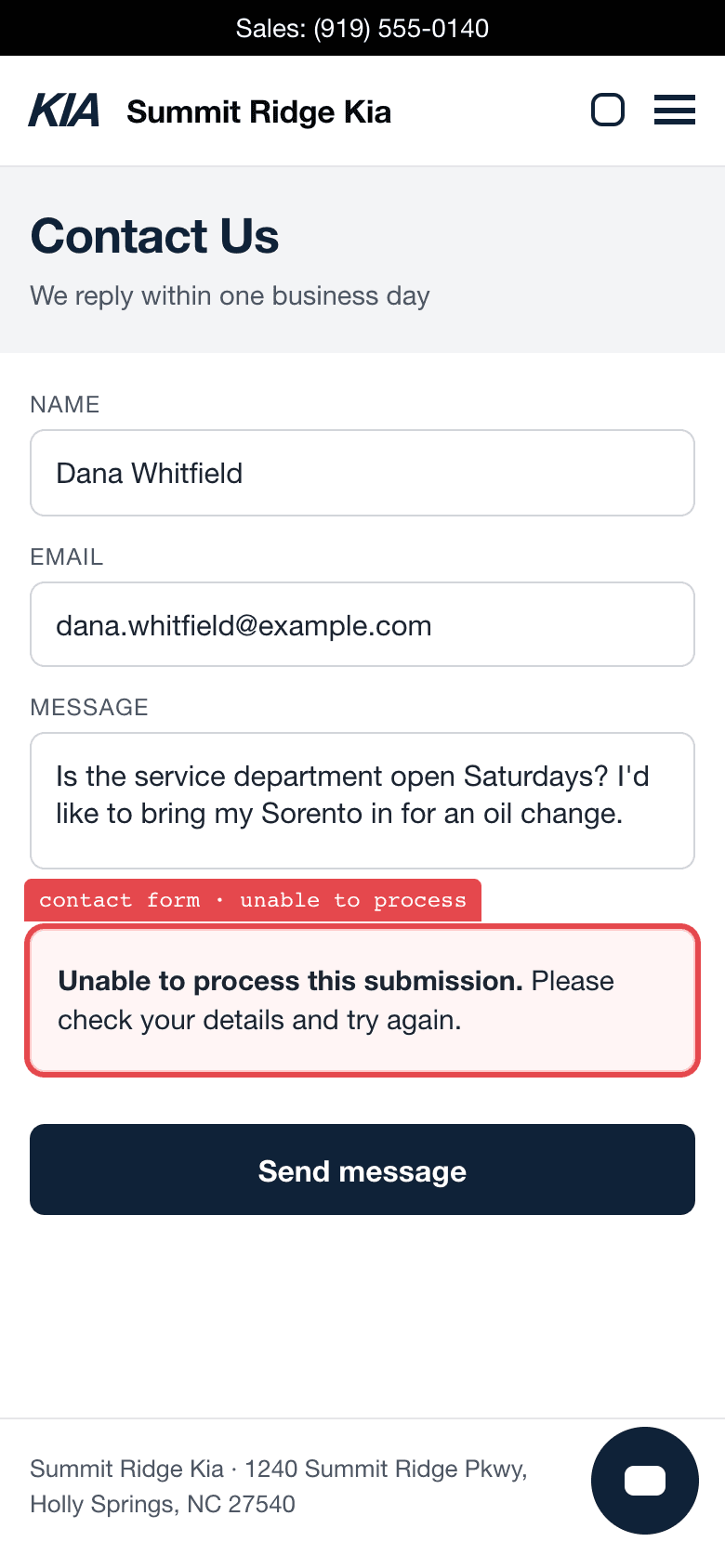
The general contact form came back “Unable to process.” The price inquiry on a vehicle page, the same day, went through.
The capture, in the guideSend the same test inquiry through the live site. Match the text or email that comes back to the VIN and the inquiry in the CRM. Enable one team and one action. Have a named reviewer approve the first sends and switch back to drafts if a check fails.
Monitor before expanding
Decide who reads the replies, and how often, before the pilot opens. Run the sold-car and old-inventory tests again whenever the model, the inventory feed, or what the tool may do changes.
- Review failures
- Give staff a way to flag a wrong answer with the record behind it. Turn that part off, fix it, and run the test that failed again.
- Decide whether to expand
- Check whether shoppers got right answers sooner and how many hours the team spent reviewing. Expand when it saves more than it costs.
Eight moments on the shopper’s path
Pick a question your team hears often. See what AI could draft and what your store would need to check.
Is the service department open on Saturday?
- What AI could draft
- An answer from the store’s own pages: hours, departments, directions and the scheduler link for the right department.
- What to check first
- Whose job is the hours page today, and when was it last touched?
 Two booking routes, one confirmed reservation
Do you still have the white Telluride?
- What AI could draft
- The stock number, a vehicle link that opens on a phone, and the two closest units if it sold.
- What to check first
- How old is the feed a draft would answer from at 7 pm?
 The inventory answer arrived. The offer terms didn’t.
What would you give me for my 2022 Sorento?
- What AI could draft
- The range the valuation tool showed, what it rests on, what the appraisal will check, and a way to send photos.
- What to check first
- What can a reply honestly say before an appraiser has seen the car?
 The appraisal was explained. Later messages lost detail.
I filled out the form on the Sportage. Who do I talk to?
- What AI could draft
- A route by department, language and who is on, and a first reply that names the person.
- What to check first
- Does the CRM know who is on the floor tonight, or does a person?
 The contact form said no
Actually, can you tell me about the Sportage instead?
- What AI could draft
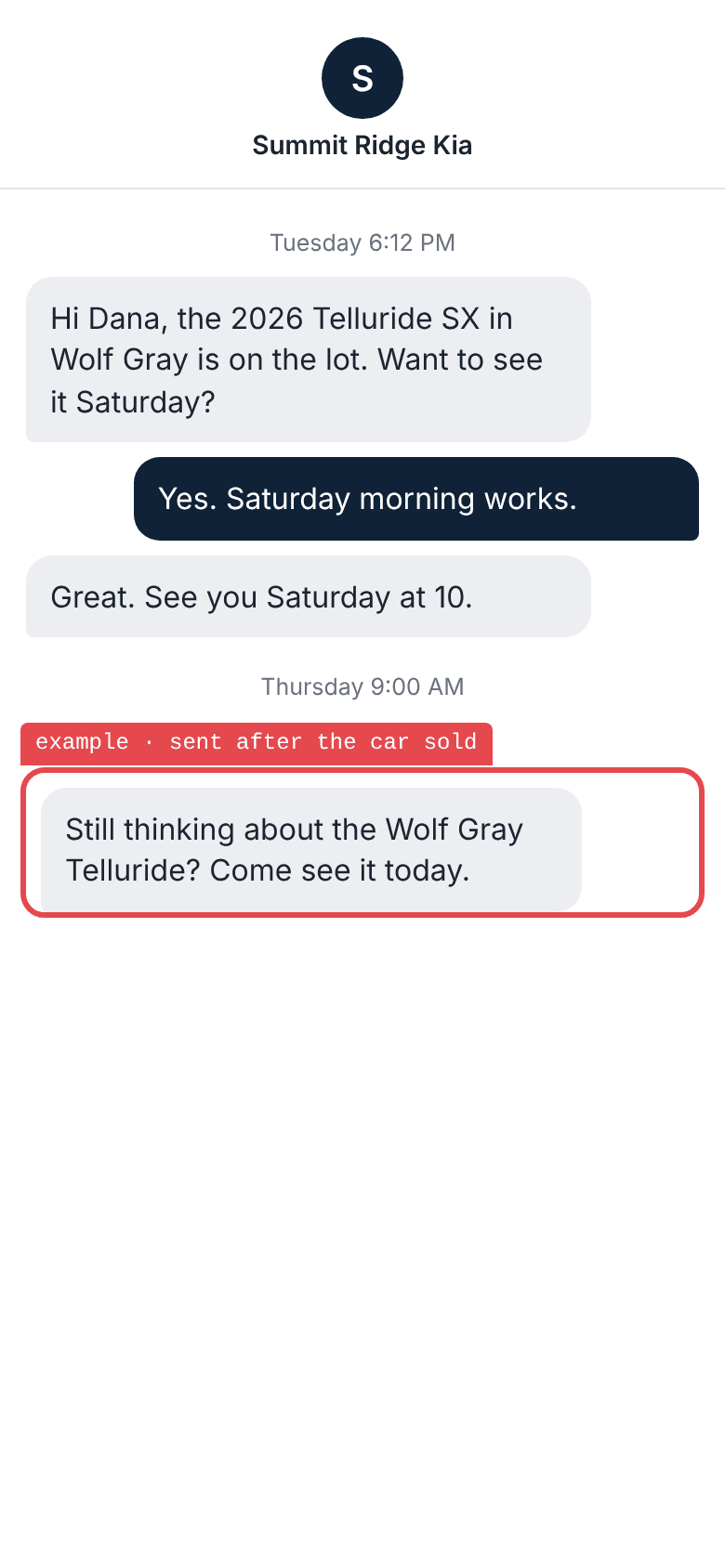
- A reply built from the whole thread and the vehicle named last, with the queued follow-up paused.
- What to check first
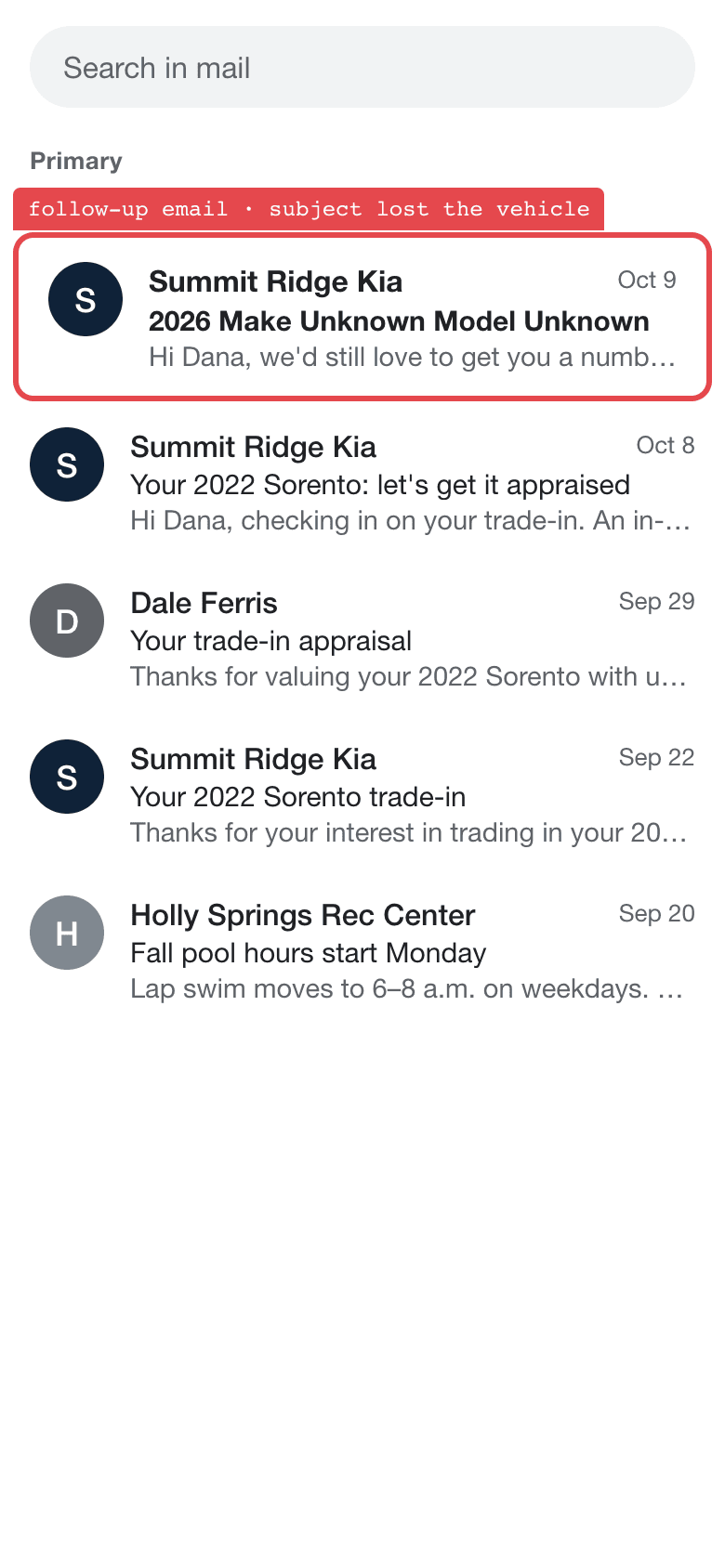
- Does the next message know what the shopper said last?
 A later email lost the vehicle.
Can I drop off before you open?
- What AI could draft
- The drop-off instructions, where the key drop is, the shuttle hours, what to bring.
- What to check first
- Could an advisor’s answer come from one page the store already keeps?
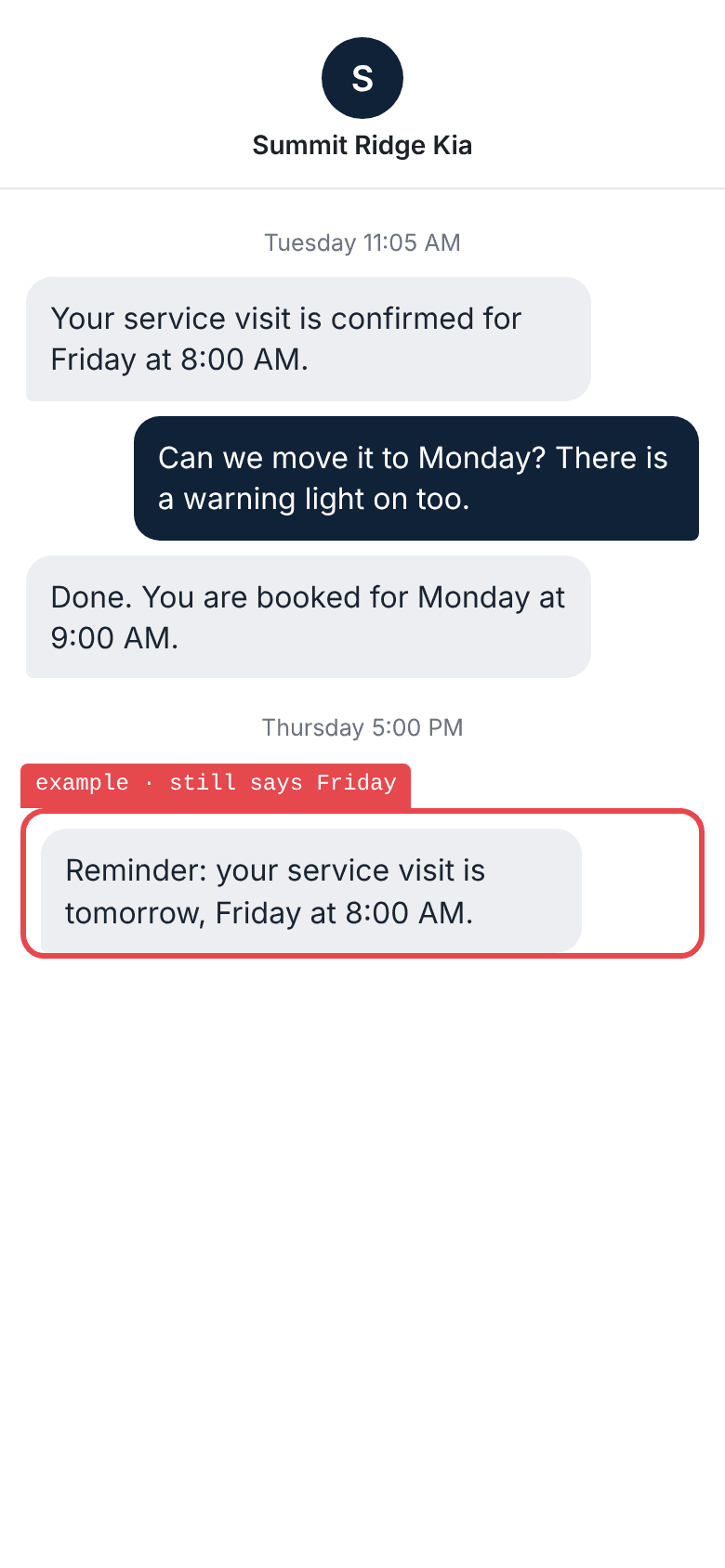
Two booking routes, one confirmed reservation What did you end up doing, and when am I due back?
- What AI could draft
- A plain summary of the work done, the work declined, and the next due service with a date.
- What to check first
- What does the customer hear after the repair order closes, and from whom?
Does this roof rack fit a 2021 Sorento?
- What AI could draft
- A yes or no from the catalog by VIN, the price, stock, and pickup or install options.
- What to check first
- Can a draft see the catalog by VIN, or only the part number?
 The parts button’s secure connection failed
Take it with you
Dealership AI pilot kit
Start with a project brief. Name the owner, the facts a reply can use, and how you’ll test it. The kit includes outreach briefs and 16 test scenarios.
Download the kit (ZIP)Individual worksheets
Download an editable Markdown file to use with your team.